
You do not have to move a whole group off SAP at once. Many businesses keep SAP at head office and run smaller subsidiaries, new acquisitions or dealers on Odoo. Others run both for a while as they move one entity at a time. Both approaches work, provided you decide clearly who owns which data and keep the integration small.
This post covers the two common architectures, the integration patterns, what to connect and what to leave alone, the pitfalls, and how dealer scenarios fit. Our team has 30+ years of SAP experience, including for vehicle brands like Toyota, Subaru, Kubota and Hino. EnCollab is an SAP partner and an Odoo Silver partner, and we still support SAP customers, so we are comfortable recommending SAP where it fits.
Two architectures
A. Two-tier: group on SAP, subsidiaries or dealers on Odoo
Head office keeps SAP for group finance, consolidation and core supply chain. Smaller entities run Odoo. This is often called a two-tier ERP.
It suits groups where:
- The parent has a large, stable SAP investment or a global SAP mandate.
- Subsidiaries are small (say 10 to 150 users) and SAP licences or project costs are hard to justify for them.
- Acquisitions need a system quickly, and a full SAP rollout would take too long.
- Dealers or distributors need a system that the brand can standardise without giving each one a full SAP licence.
B. Phased migration with temporary coexistence
The group is leaving SAP. It moves one entity at a time to Odoo, and runs both systems until the last entity moves. Coexistence here has an end date.
It suits groups where:
- There are several legal entities on one SAP system.
- A single “big bang” go-live is too risky.
- The team wants to learn on a smaller entity first.
We are supporting an Australian corporate group doing exactly this, moving its businesses off SAP to Odoo entity by entity.
The two architectures use the same integration ideas. The difference is how much you invest. For a temporary bridge, keep it simple. For a permanent two-tier set-up, build it properly.
Integration patterns
Master data ownership
Decide which system owns each master data object. Write it down. This is the most important decision in any two-system set-up.
| Data object | Usual owner in two-tier | Usual owner during phased migration |
|---|---|---|
| Chart of accounts (group) | SAP | SAP until finance moves |
| Material / product master | SAP (for group-supplied products) | Moves with each entity |
| Customer master | The entity that sells | Moves with each entity |
| Vendor master | The entity that buys. Group vendors from SAP | Moves with each entity |
| Pricing to subsidiaries | SAP | SAP until supplying entity moves |
| Exchange rates | SAP or a shared feed | Shared feed |
Odoo can hold products that are not in SAP, for local items. Just do not let the same product be created in both systems by different people.
Intercompany orders
The most common flow: a subsidiary on Odoo raises a purchase order to the parent on SAP. SAP creates a sales order, ships, and invoices. The subsidiary receives goods and the supplier invoice in Odoo.
Automate the PO to sales order step and the invoice back. Status updates (order confirmed, shipped) are useful. Leave everything else manual until volume justifies more.
Financial consolidation
Options, from simplest:
- Trial balance upload. Each Odoo entity sends a monthly trial balance, mapped to the group chart of accounts, into SAP or a consolidation tool.
- Summarised journal posting. Odoo posts summarised journals to SAP on a schedule.
- Line-level replication. Rarely worth it. It adds load and reconciliation work for little gain.
Most groups do well with option 1, plus a clear mapping table and an intercompany matching step at month end.
Technical approaches
- IDoc. Native SAP format, well understood by SAP teams. Good for orders and invoices if you already use IDocs with other partners.
- APIs. SAP side via BAPI/RFC or OData services. Odoo side via its external API (XML-RPC/JSON-RPC) or REST endpoints built as a module.
- Middleware. An integration platform sits between the two and handles mapping, retries and monitoring. Worth it for a permanent two-tier set-up with several flows.
- File-based. CSV or XML files on a schedule. Fine for a temporary bridge, low volumes or trial balance uploads.
What to integrate and what to leave alone
| Integrate | Usually leave manual or out |
|---|---|
| Intercompany POs, sales orders and invoices | Every master data field |
| Product master for group-supplied items | Historic transactions |
| Monthly trial balance or summarised journals | Real-time stock sync across all locations |
| Exchange rates | Workflows and approvals across systems |
| Shipment and delivery status | HR and payroll (unless shared service) |
Every interface has a running cost. Each one needs monitoring, error handling and someone who understands both sides. Start with the two or three flows that save real effort.
Pitfalls
Dual master data. The same customer or product created in both systems, with different numbers and details. Fix it with clear ownership, a cross-reference table, and one team allowed to create shared records.
Reconciliation gaps. Intercompany balances that do not match at month end. Agree cut-off rules and run an intercompany matching report every month.
Timing. SAP posts on one day, Odoo on another. Goods in transit and month-end cut-off cause most of the differences. Define which date drives which posting.
Over-building a temporary bridge. In a phased migration, the interface may only live for 12 to 18 months. Do not build a permanent integration for a temporary problem.
Two support teams. You need people who understand SAP and people who understand Odoo, and someone who understands both at the interface. Plan for it.
Dealers and distributors: where Fleetlane fits
Automotive, machinery and equipment brands often run SAP at the importer or distributor, with a dealer network that needs its own tools. This is where a two-tier approach is common.
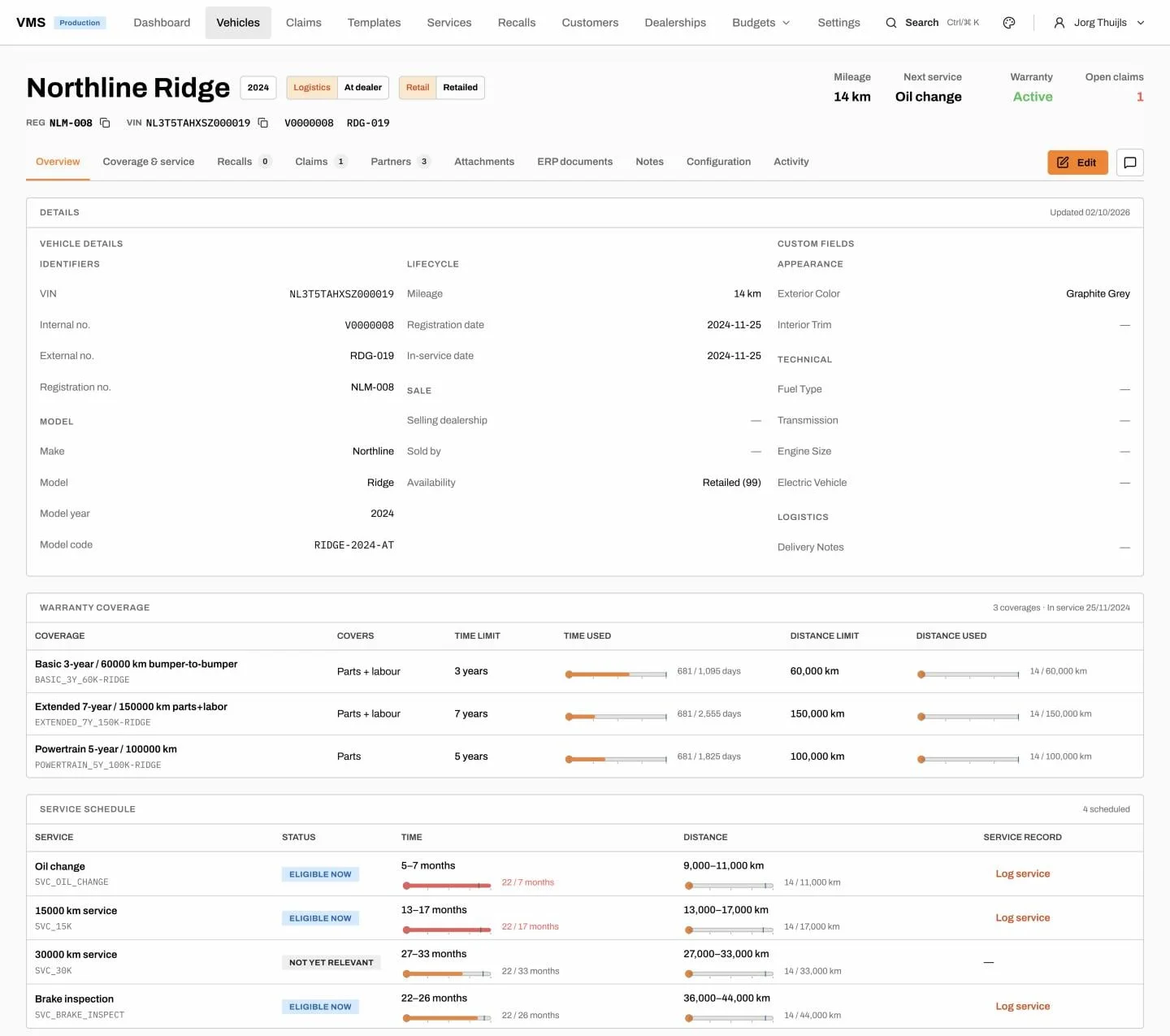
EnCollab’s Fleetlane is a standalone vehicle management system that works alongside either SAP or Odoo. It covers allocation, dealer ordering, shipping, delivery, warranty claims and recalls against each vehicle, while sales orders, invoices and credit notes stay in the ERP. So an importer can keep SAP for finance and supply chain and use Fleetlane for vehicle and warranty processes, or run the whole stack on Odoo with Fleetlane alongside.
One example: a New Zealand automotive distributor was heading for SAP. It chose Odoo instead, with Fleetlane covering its automotive processes.
When side by side is not the right move
Running two ERPs has a cost. It is not the right move if:
- Your entities share warehouses, staff and customers so closely that splitting systems creates more work than it saves. One system is usually better.
- You are leaving SAP anyway and the group is small enough for a single, well-planned cut-over.
- You have no one who can own the interface. Integrations without an owner fail quietly.
- The subsidiary is so small that Odoo plus a monthly trial balance upload is all it needs. In that case, do not build an integration at all.
If you do run several companies in one Odoo database, note that multi-company needs Odoo’s Custom plan, listed at AUD $80 per user per month at the time of writing (October 2026), against AUD $43 for Standard. Check current Odoo pricing before you budget.
How to decide
- List your entities, users and the flows between them.
- Decide whether coexistence is permanent (two-tier) or temporary (phased).
- Agree master data ownership, object by object.
- Pick the two or three flows worth automating.
- Choose the simplest technical approach that handles your volume.
- Plan month-end reconciliation from day one.
For costs, see what it really costs to leave SAP for Odoo. For the data side, read SAP data migration to Odoo. If your timing is driven by the 2027 deadline, see SAP ECC end of support 2027: your options, and for a platform comparison, Odoo vs SAP S/4HANA.
Book a free SAP Exit Assessment
We will map your entities, flows and SAP footprint, and tell you whether a two-tier, phased or single cut-over approach makes sense. Book a free SAP Exit Assessment.
FAQ
Can SAP and Odoo run side by side? Yes. A common set-up keeps SAP at group level and runs subsidiaries, acquisitions or dealers on Odoo. Data is exchanged through IDocs, APIs, middleware or scheduled files.
What is a two-tier ERP? It is a model where the parent company runs one ERP, often SAP, and smaller subsidiaries run a lighter ERP such as Odoo. The two are connected for intercompany trade and financial consolidation.
How do intercompany orders work between SAP and Odoo? Typically the Odoo subsidiary raises a purchase order, which creates a sales order in SAP. SAP ships and invoices, and the invoice and goods receipt flow back into Odoo.
How is financial consolidation handled with SAP and Odoo? Most groups send a monthly trial balance from each Odoo entity, mapped to the group chart of accounts, into SAP or a consolidation tool. Some post summarised journals instead.
Should we integrate everything between SAP and Odoo? No. Integrate the few flows that save real effort, such as intercompany orders, invoices and trial balances. Each interface has an ongoing support cost.
Can a distributor’s vehicle processes run on Odoo while the importer stays on SAP? Yes. EnCollab’s Fleetlane works alongside SAP or Odoo and covers allocation, dealer ordering, shipping, delivery, warranty claims and recalls, with financial documents staying in the ERP.